<!DOCTYPE html>
<html lang="en">
  <head>
    <meta charset="utf-8">
    <meta http-equiv="X-UA-Compatible" content="IE=edge">
    <title>B2B PIM software for product catalogs | Catbuilder</title>
    <meta name="description" content="Centralize your product data and automatically generate catalogs, technical data sheets and sales materials with Catbuilder, a B2B PIM solution.">
    <meta name="viewport" content="width=device-width, initial-scale=1">
    <meta name="robots" content="all,follow">
	<link rel="canonical" href="https://www.catbuilder.eu/en/">
	<link rel="alternate" hreflang="fr" href="https://www.catbuilder.eu/fr/">
	<link rel="alternate" hreflang="nl" href="https://www.catbuilder.eu/nl/">
    <!-- Bootstrap CSS-->
    <link rel="stylesheet" href="/vendor/bootstrap/css/bootstrap.min.css">
    <!-- Google fonts-->
    <link rel="stylesheet" href="https://fonts.googleapis.com/css?family=Roboto:300,400,700">
    <!-- Icon fonts-->
    <link rel="stylesheet" href="/css/pe-icon-7-stroke.css">
    <!-- Lightbox CSS-->
    <link rel="stylesheet" href="/vendor/lightbox2/css/lightbox.min.css">
    <!-- Leaflet CSS-->
    <link rel="stylesheet" href="/vendor/leaflet/leaflet.css">
    <!-- theme stylesheet-->
    <link rel="stylesheet" href="/css/style.default.css" id="theme-stylesheet">
    <!-- Custom stylesheet - for your changes-->
    <link rel="stylesheet" href="/css/custom.css">
	<link rel="stylesheet" href="https://cdnjs.cloudflare.com/ajax/libs/flag-icon-css/3.2.1/css/flag-icon.min.css">
    <!-- Favicon-->
    <link rel="shortcut icon" href="/img/favicon.png">
    <!-- Tweaks for older IEs--><!--[if lt IE 9]>
        <script src="https://oss.maxcdn.com/html5shiv/3.7.3/html5shiv.min.js"></script>
        <script src="https://oss.maxcdn.com/respond/1.4.2/respond.min.js"></script><![endif]-->


  </head>
  <body>
    <!-- navbar-->
	<!-- Google tag (gtag.js) -->
<script async src="https://www.googletagmanager.com/gtag/js?id=G-XLVYWK4Z83"></script>
<script>
  window.dataLayer = window.dataLayer || [];
  function gtag(){dataLayer.push(arguments);}
  gtag('js', new Date());

  gtag('config', 'G-XLVYWK4Z83');
</script>

<script>
	function global_replace(text,val1,val2)
	{
		if (!text) return '';
		var tab = text.split(val1);
		return tab.join(val2) 	
	}
		
	function changeLanguage(myLang) {
		const url = new URL(window.location.href);
		var myString = String(url.pathname); 	
		
		var current_language = "en";	
		var language = new Array("fr","en","nl");
		var url_name = new Array();
		
		url_name[0]= new Array("accueil","logiciel","impression","catalogues_interactifs","catalogues_en_ligne","applications_mobiles","middleware","pim","cms","references","nouveautes","contact");
		url_name[1]= new Array("home","software","print","interactive_catalogs","online_catalogs","mobile_applications","middleware","pim","cms","references","news","contact");
		url_name[2]= new Array("welkom","software","drukwerk","interactieve_catalogi","online_catalogi","mobiele_applicaties","middleware","pim","cms","referenties","nieuws","contact");
		
		var index_current_language = language.indexOf(current_language);
		var index_new_language = language.indexOf(myLang);
				
		myString = global_replace(myString,'/'+current_language+'/','/'+myLang+'/');
		
		var p1 = myString.split('/'+myLang+'/');
		var p2 = p1[1].split(".");
		
		var index_current_page = url_name[index_current_language].indexOf(p2[0]);
	
		if (index_current_page == -1 ){
			myString = p1[0]+"/"+myLang;
		}else{
			myString = global_replace(myString,url_name[index_current_language][index_current_page] , url_name[index_new_language][index_current_page]);
		}
		
		url.pathname = myString;
		window.location.href = url.toString();
		
	}
</script>

<!-- navbar-->
<header class="header">
	<nav class="navbar navbar-expand-lg py-lg-0">
		<div class="container">
			<div class="col-2 px-0"><a href="/en/" class="navbar-brand"> <img src="/images/logo-catbuilder.svg" alt="Logo Catbuilder" class="img-fluid mb-1"></a></div>
			<button type="button" data-toggle="collapse" data-target="#navbarSupportedContent" aria-controls="navbarSupportedContent" aria-expanded="false" aria-label="Toggle navigation" class="navbar-toggler navbar-toggler-right small"><span class="text-uppercase mr-2">Menu</span><i class="fas fa-bars"></i></button>
			<div id="navbarSupportedContent" class="collapse navbar-collapse">
				<ul class="navbar-nav ml-auto d-lg-flex align-items-lg-center">
					<li class="nav-item"><a id="m-home" href="/en/" class="nav-link font-weight-bold text-uppercase px-lg-3 py-lg-4">Home </a></li>
					<li class="nav-item"><a id="m-software" href="/en/software.html" class="nav-link font-weight-bold text-uppercase px-lg-3 py-lg-4">Software </a></li>
			 		<li class="nav-item dropdown"><a id="m-solutions" href="#" data-toggle="dropdown" aria-haspopup="true" aria-expanded="false" class="nav-link font-weight-bold text-uppercase px-lg-3 py-lg-4 dropdown-toggle">Solutions </a>
						<div  class="dropdown-menu mt-0">
							<a href="/en/print.html" class="dropdown-item small text-uppercase">Print</a>
							<a href="/en/interactive_catalogs.html" class="dropdown-item small text-uppercase">Interactive catalogs</a>
							<a href="/en/online_catalogs.html" class="dropdown-item small text-uppercase">Online catalogs and B2B e-shops</a>
							<a href="/en/mobile_applications.html" class="dropdown-item small text-uppercase">Mobile applications</a>
							<a href="/en/middleware.html" class="dropdown-item small text-uppercase">Middleware</a>
							<a href="/en/pim.html" class="dropdown-item small text-uppercase">PIM</a>
							<a href="/en/cms.html" class="dropdown-item small text-uppercase">CMS</a>
						</div>
					</li>
					<li class="nav-item"><a id="m-reference" href="/en/references.html" class="nav-link font-weight-bold text-uppercase px-lg-3 py-lg-4">References</a></li>
					<li class="nav-item"><a id="m-news" href="/en/news.html" class="nav-link font-weight-bold text-uppercase px-lg-3 py-lg-4">News </a></li>
					<li class="nav-item"><a id="m-contact" href="/en/contact.html" class="nav-link font-weight-bold text-uppercase px-lg-3 py-lg-4">Contact </a></li>
					<li class="nav-item"><a href="javascript:changeLanguage('fr')" class="nav-link font-weight-bold text-uppercase px-lg-3 py-lg-4"><span class="flag-icon flag-icon-fr"> </span></a></li>
					<li class="nav-item"><a href="javascript:changeLanguage('nl')" class="nav-link font-weight-bold text-uppercase px-lg-3 py-lg-4"><span class="flag-icon flag-icon-nl"> </span></a></li>
				</ul>
			</div>
        </div>
	</nav>
</header>	
	<section class="py-5 bg-cover bg-blue">
      <div class="container py-2">
       
        <h1 class="lined white text-center">B2B PIM solution for creating and distributing product catalogs.</h1>
		<h2 class="lead white text-center">Centralize your product data and automatically generate your business documents.</h2>
  		<div class="col-lg-12  pt-4 mb-4 mb-lg-0 d-flex justify-content-center">
			<img src="/images/Banniere_Catbuilder_Showcase_et_App_pour_site.png" alt="B2B PIM software for product data management" class="img-fluid mb-2" style="max-height:299px">
		</div>
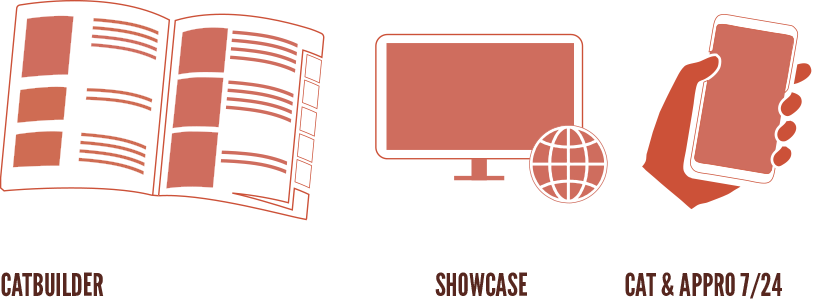
		<h3 class="lead white text-center mt-4">Catbuilder automatically generates business documents ready to be printed or distributed online, in the form of e-shops, interactive catalogs or mobile applications.</h3>
		
		<div class="col-lg-12  mb-4 mb-lg-0 d-flex justify-content-center">
			<a href="/en/software.html" class="d-inline-block bg-orange text-white p-1 rounded mt-4 pl-2 pr-2">How does it work?</a>
		</div>
		<div class="col-lg-12  mb-4 mt-4 mb-lg-0 d-flex justify-content-center">
			<div class="col-lg-4  mb-4 mb-lg-0 d-flex justify-content-center">
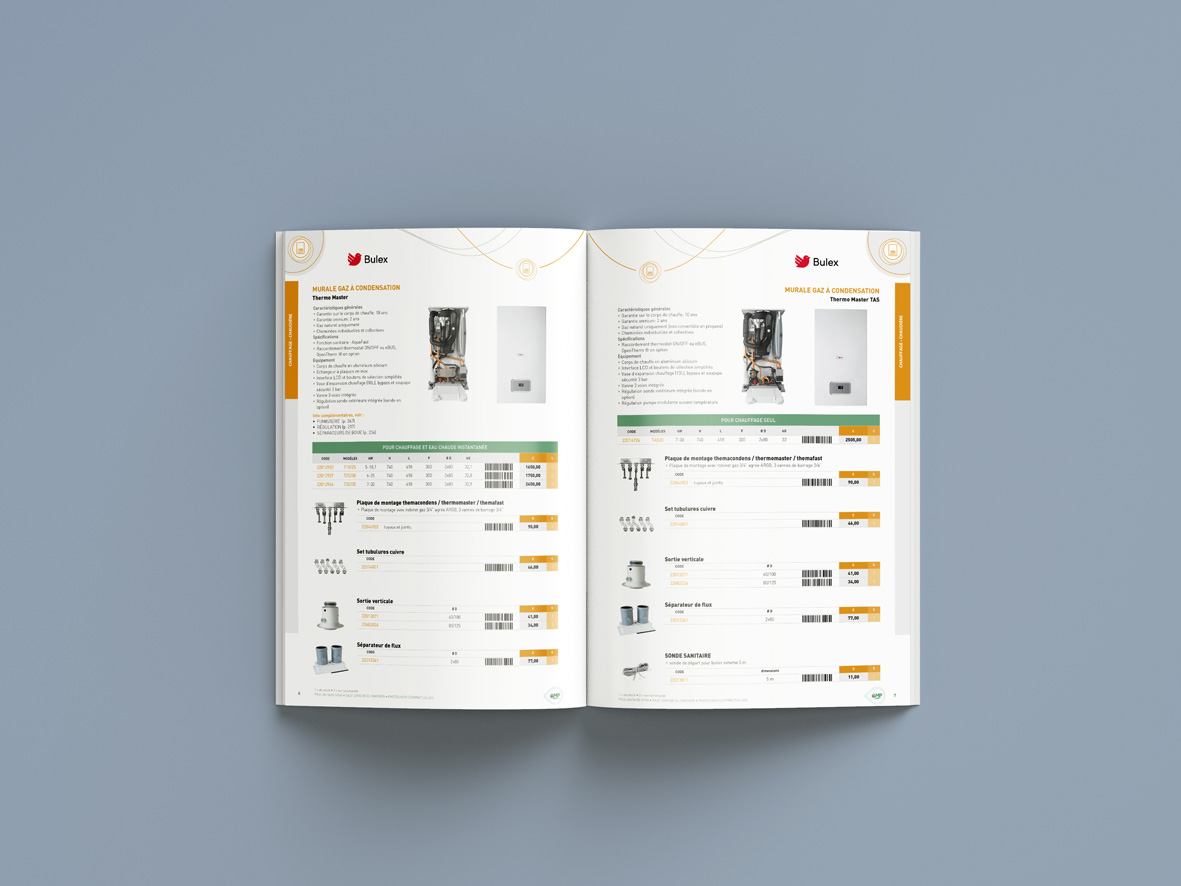
			<a href="../images/MP-Sanit_2_pages_interieures.jpg" data-lightbox="gallery" data-title="MP-SANIT" class="img-fluid mb-2"><img src="../images/MP-Sanit_2_pages_interieures.jpg" alt="Catbuilder's automated catalog of sanitary products" class="img-fluid mb-2" style="max-height:299px"></a>
				
			</div>
			<div class="col-lg-4  mb-4 mb-lg-0 d-flex justify-content-center">
				
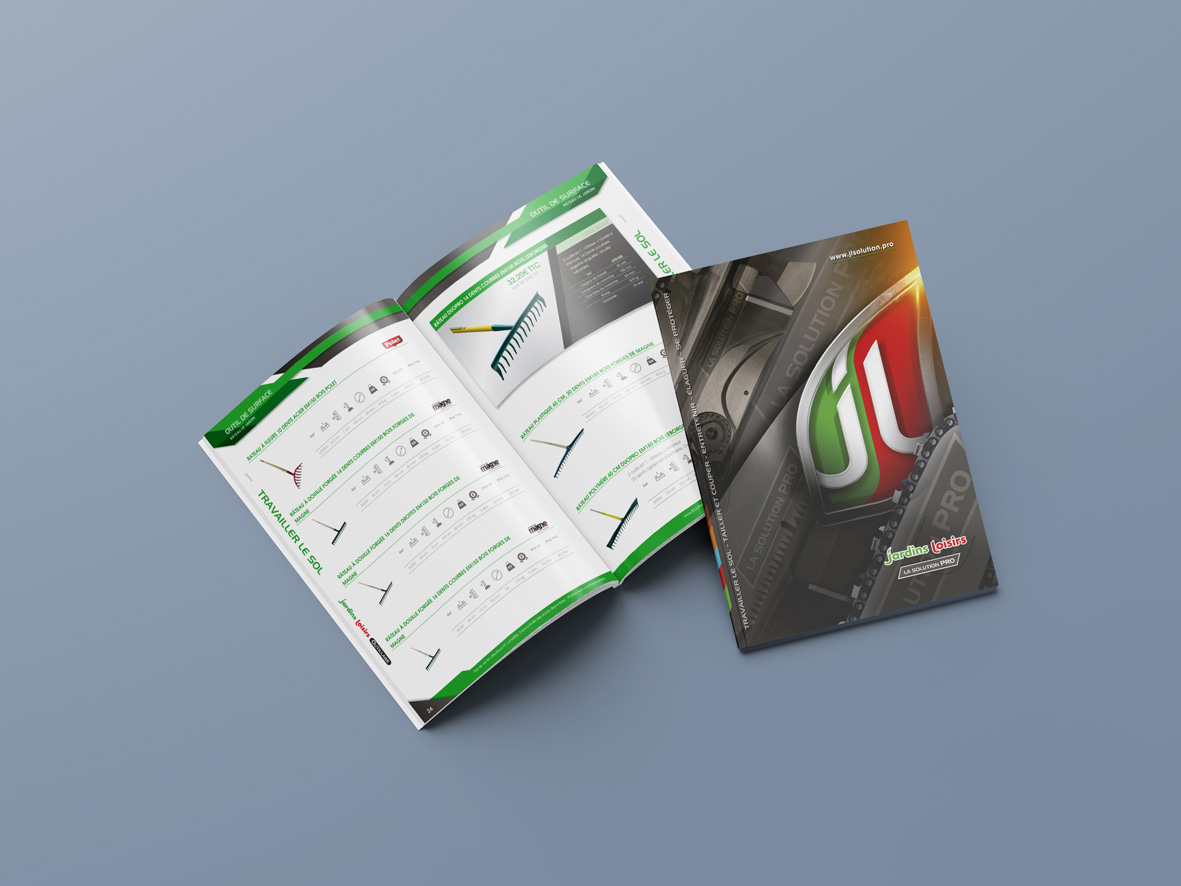
				<a href="../images/JL_2_pages_interieures_cover.jpg" data-lightbox="gallery" data-title="Jardins Loisirs" class="img-fluid mb-2"><img src="../images/JL_2_pages_interieures_cover.jpg" alt="Automatic wholesale product catalog generated by Catbuilder" class="img-fluid mb-2" style="max-height:299px"></a>
			</div>
			<div class="col-lg-4  mb-4 mb-lg-0 d-flex justify-content-center">
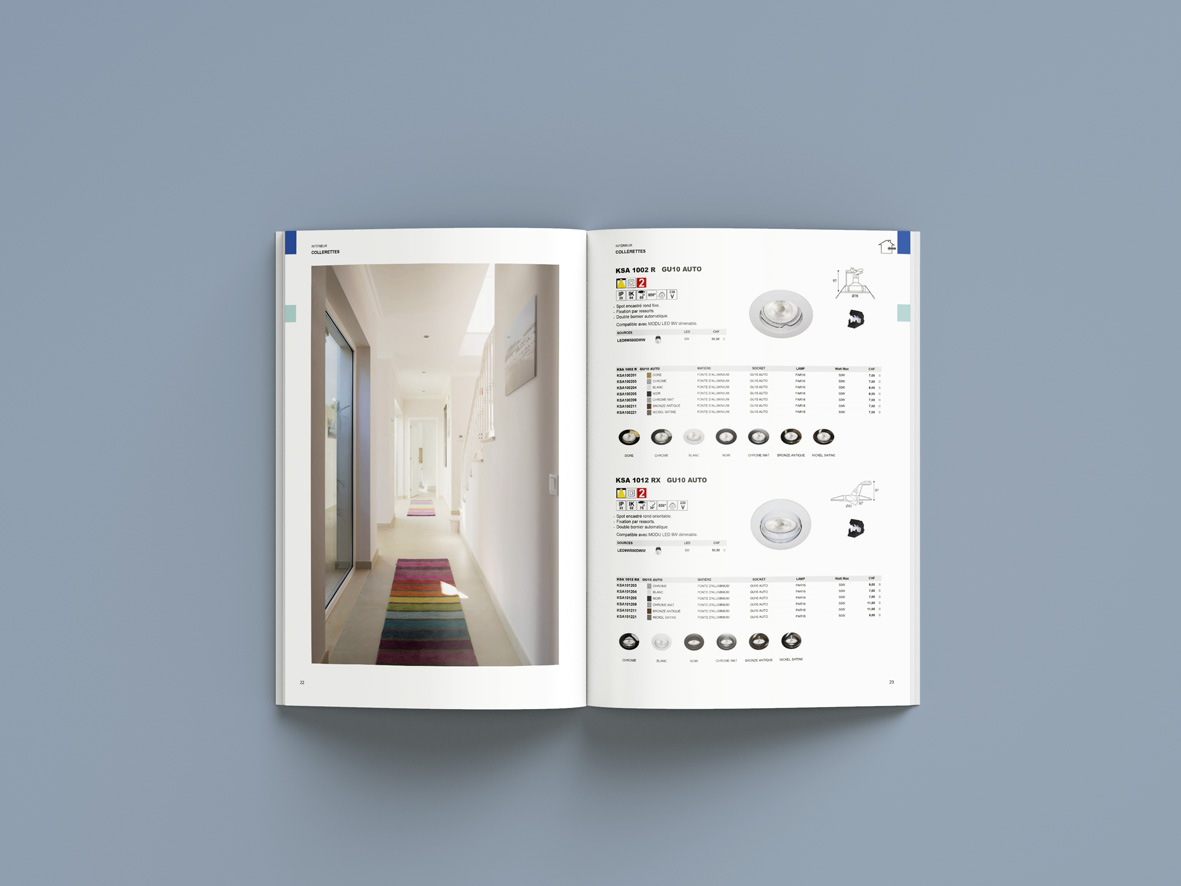
				<a href="../images/Indigo_2_pages_interieures.jpg" data-lightbox="gallery" data-title="Indigo" class="img-fluid mb-2"><img src="../images/Indigo_2_pages_interieures.jpg" alt="Automatic catalog of lighting products generated by Catbuilder" class="img-fluid mb-2" style="max-height:299px"></a>
				
			</div>
		</div>
      </div>
    </section>
	
	
<section class="py-5">
  <div class="container py-2">
    <div class="row align-items-center">
		<div class="col-lg-6 mb-4 mb-lg-0">
			<h3 class="lead text-left mt-4">Powerful, ergonomic, and intuitive software, <strong>Catbuilder</strong> allows you to automatically create a wide range of business documents, such as:</h3>
			<div class="col-lg-12 mb-4 mb-lg-0">
				<ul class="lead ps-3">
					<li>Product catalogs</li>
					<li>Price lists and rates</li>
					<li>Promotional folders and brochures</li>
					<li>Technical specifications and product sheets</li>
					<li>Stock labels…</li>
				</ul>
				<h3 class="lead text-left mt-4">All these creations can be customized by the client and easily distributed across all media.</h3>
				<div class="text-center">
					<a href="/en/references.html" class="d-inline-block bg-orange text-white p-2 rounded mt-4">Some achievements</a>
				</div>
			</div>
		</div>

      <!-- Vidéo -->
      <div class="col-lg-6 d-flex justify-content-center">
        <div class="video-responsive">
          <video controls>
            <source src="/videos/video_raphaelo_en.mp4" type="video/mp4">
            Your browser does not support video playback.
          </video>
        </div>
      </div>
    </div>
  </div>
</section>

	
<section class="py-5 pb-2 mb-0">
  <div class="container py-2"> 
    <div class="row mb-4">
      <div class="col-12 col-md-6 col-lg-4 mb-4">
		<div class="icon mb-4">
			<span class="pe-7s-sun" style="font-size:60px;"></span>
		</div>
        <h3 class="lined black">An easy-to-use catalog creation software, without graphic design skills</h3>
        <p class="text-small">Catbuilder’s administration interface is accessible to anyone familiar with common Microsoft Office tools. Thanks to its intelligent templates and automated page layout system, you can create professional and attractive catalogs without advanced graphic design expertise.</p>
      </div>
      <div class="col-12 col-md-6 col-lg-4 mb-4">
        <div class="icon mb-4">
			<span class="pe-7s-edit" style="font-size:60px;"></span>
		</div>
        <h3 class="lined black">Customizable catalogs for each client</h3>
        <p class="text-small">Catbuilder saves you the weeks of work usually spent on layout and proofreading your catalog.<br><br>But you can go even further…<br><br>You can easily <strong>edit a specific catalog for each important client, with their own product references,</strong> their own pricing, and integrate their own branding to personalize their documents.<br><br> <strong>With Catbuilder, you add even more value to your data.</strong></p>	
      </div>
      <div class="col-12 col-md-6 col-lg-4 mb-4">
        <div class="icon mb-4">
			<span class="pe-7s-clock" style="font-size:60px;"></span>
		</div>
        <h3 class="lined black">Save time thanks to Catbuilder's administration software</h3>
        <p class="text-small">Say goodbye to long (and costly) weeks of layout and proofreading your catalog.<br><br><strong>Catbuilder quickly structures your data.</strong><br><br>Need to make a change? Remove a product from your catalog? Simply enter the change in the Catbuilder administration tool, one click, and… it’s done! Your updated catalog is generated!<br><br>The update is immediately reflected on your website, interactive PDF, or app.<br><br></p>
      </div>
    </div>

    <div class="row mb-4">
      <div class="col-12 col-md-6 col-lg-4 mb-4">
        <div class="icon mb-4">
			<span class="pe-7s-piggy" style="font-size:60px;"></span>
		</div>
        <h3 class="lined black">Catalog generation software that's budget-friendly</h3>
        <p class="text-small">Catbuilder allows you to dramatically reduce layout costs, starting in the first year.<br><br>Catbuilder continuously gives you the autonomy to create new marketing materials, adapted in real time.<br><br>Immediate data corrections allow you to better manage the printing of your materials and limit their obsolescence.<br><br>Reprints require virtually no layout or proofreading, thanks to your continuous data updates.<br><br></p>
      </div>
      <div class="col-12 col-md-6 col-lg-4 mb-4">
        <div class="icon mb-4">
			<span class="pe-7s-plugin" style="font-size:60px;"></span>
		</div>
        <h3 class="lined black">Additional modules for further customization of your catalogs</h3>
        <p class="text-small">The central administration system structures and organizes your product data, then enables the automatic creation of catalogs and sales documents. Publish product information directly on your <a href="/en/online_catalogs.html">online shop, your website</a> or <a href="/en/mobile_applications.html">your custom applications</a>.</p>
      </div>
      <div class="col-12 col-md-6 col-lg-4 mb-4">
        <div class="icon mb-4">
			<span class="pe-7s-headphones" style="font-size:60px;"></span>
		</div>
        <h3 class="lined black">Numerous updates to the Catbuilder solution and technical support</h3>
        <p class="text-small">Catbuilder is a long-term, reliable solution, continuously developed by our teams for many years.<br><br><strong>Updates:</strong><br>Actively listening to our customers allows us to continuously improve Catbuilder. Updates are released regularly.<br><br><strong>Technical Support:</strong><br>Technical support is also available should you need it.<br>Our services are governed by clear and transparent SLA guarantees.</p>
      </div>
    </div>

    <div class="row">
      <div class="col-12 col-md-6 col-lg-4 mb-4">
        <div class="icon mb-4">
			<span class="pe-7s-cash" style="font-size:60px;"></span>
		</div>
        <h3 class="lined black">Catalog creation software that provides you with added value</h3>
        <p class="text-small">Catbuilder offers you flexibility and autonomy in editing your data, whether as a catalog, product sheet, or directly online.<br><br>But even more, Catbuilder adds value to your data, allowing you to process it faster and tailor it to each of your customers.<br><br>Catbuilder also allows you to optimize your products' time to market.<br><br></p>
      </div>
      <div class="col-12 col-md-6 col-lg-4 mb-4">
        <div class="icon mb-4">
			<span class="pe-7s-tools" style="font-size:60px;"></span>
		</div>
        <h3 class="lined black">Data retrieval between Catbuilder and your management tools</h3>
        <p class="text-small">Thanks to data retrieval between Catbuilder and your management tools, the information is always up-to-date.<br><br>Its user-friendly structure allows you to organize your databases and propagate all changes throughout your entire system.<br><br></p>
      </div>
      <div class="col-12 col-md-6 col-lg-4 mb-4">
         <div class="icon mb-4">
			<span class="pe-7s-news-paper" style="font-size:60px;"></span>
		</div>
        <h3 class="lined black">A software program for generating catalogs independently</h3>
        <p class="text-small">Thanks to Catbuilder, you now have complete control over the entire process of creating and editing your catalogs.<br><br>A true data management tool, it frees you from the constraints associated with creating your documents.<br><br></p>
      </div>
    </div>
  </div>
</section>


	<section class="py-5  mb-0">
<div class="container">
	<h2 class="lined black">Questions and Answers</h2>
	<div id="accordion">
    <div class="card">
      <div class="card-header" id="heading1">
        <h3 class="mb-0"><button class="btn btn-link" data-toggle="collapse" data-target="#collapse1">What is Catbuilder Showcase?</button></h3>
      </div>
      <div id="collapse1" class="collapse" data-parent="#accordion">
        <div class="card-body">
          <h3 class="text-small ml-4"><a href="/en/online_catalogs.html" ><strong>Catbuilder Showcase</strong></a> is Catbuilder's online solution.<br>It allows you to instantly publish your electronic catalog or your B2B e-shop, directly connected to your Catbuilder database.<br>The data updates automatically, ensuring that the information is always accurate.</h3>
        </div>
      </div>
    </div>
    <div class="card">
      <div class="card-header" id="heading2">
        <h3 class="mb-0"><button class="btn btn-link" data-toggle="collapse" data-target="#collapse2">Does Catbuilder Showcase allow online sales? </button></h3>
      </div>
      <div id="collapse2" class="collapse" data-parent="#accordion">
        <div class="card-body">
          <h3 class="text-small ml-4">Yes, the platform includes a function of <a href="/en/online_catalogs.html" ><strong>B2B online ordering</strong></a>, with or without payment options, depending on your needs</h3>
        </div>
      </div>
    </div>
    <div class="card">
      <div class="card-header" id="heading3">
        <h3 class="mb-0"><button class="btn btn-link" data-toggle="collapse" data-target="#collapse3">Why create a paper catalog in the digital age?</button></h3>
      </div>
      <div id="collapse3" class="collapse" data-parent="#accordion">
        <div class="card-body">
          <h3 class="text-small ml-4">A <a href="/en/print.html" ><strong>printed catalog</strong></a> remains a tangible, durable and valuable medium for your products.<br>It effectively complements your digital materials and is an excellent tool for memorization and differentiation from the competition.<br>It's a very nice business card.</h3>
        </div>
      </div>
    </div>	
    <div class="card">
      <div class="card-header" id="heading4">
        <h3 class="mb-0"><button class="btn btn-link" data-toggle="collapse" data-target="#collapse4">Can Catbuilder directly generate a website? </button></h3>
      </div>
      <div id="collapse4" class="collapse" data-parent="#accordion">
        <div class="card-body">
          <h3 class="text-small ml-4">Yes. Thanks to its technical capabilities, Catbuilder can directly generate the HTML pages of a website.<br>It thus fulfills the function of a <a href="/en/cms.html" ><strong>CMS software</strong></a> (Content Management System) capable of publishing static (“cold”) content optimized for search engine optimization (SEO).</h3>
        </div>
      </div>
    </div>
    <div class="card">
      <div class="card-header" id="heading5">
        <h3 class="mb-0"><button class="btn btn-link" data-toggle="collapse" data-target="#collapse5">Can Catbuilder be linked to an existing e-commerce site?</button></h3>
      </div>
      <div id="collapse5" class="collapse" data-parent="#accordion">
        <div class="card-body">
          <h3 class="text-small ml-4">Yes, the software can <a href="/en/cms.html" ><strong>automatically populate a website or online store</strong></a>, by exporting product data in the required formats (HTML, XML, JSON, CSV, etc.).</h3>
        </div>
      </div>
    </div>	
    <div class="card">
      <div class="card-header" id="heading6">
        <h3 class="mb-0"><button class="btn btn-link" data-toggle="collapse" data-target="#collapse6">Is Catbuilder useful when changing ERP systems? </button></h3>
      </div>
      <div id="collapse6" class="collapse" data-parent="#accordion">
        <div class="card-body">
          <h3 class="text-small ml-4">Absolutely. Many companies use Catbuilder to facilitate complex transitions between information systems.<br>Its role as an independent middleware makes it a reliable tool for <a href="/en/pim.html" ><strong>managing data migrations</strong></a> without operational disruption. </h3>
        </div>
      </div>
    </div>	
  </div>
</div>
</section>    <footer style="background: #eee;" class="pt-5">
      <div class="container py-2">
        <div class="row">
          <div class="col-lg-8 col-md-6 mb-4">
            <p class="lined lined-dark mb-3">About Catbuilder</p>
            <p class="text-small">PIM software designed to centralize product data and create personalized catalogs, <strong>Catbuilder</strong> helps B2B companies (industries, manufacturers and distributors) to distribute their commercial documents on all media.<br><br>Wood&d sa, A Belgian company active for almost 30 years ensures its development and continuous evolution.</p>
          </div>
          <div class="col-lg-4 col-md-6 mb-4">
            <p class="lined lined-dark mb-3">Offices</p>
            <p class="mb-0 text-small">Wood&d sa</p>
            <p class="mb-0 text-small">Voie Maréchal Grouchy, 24</p>
            <p class="mb-0 text-small">B-1300 Wavre</p>
            <p class="mb-4 text-small">info@catbuilder.be</p>
			<p class="mb-4 text-small">Tél: +32 (0)473 91 53 88</p>
          </div>


          <div class="col-lg-4 col-md-6 mb-4">
			<img src="/img/favicon.png" alt="Catbuilder icon" class="img-fluid mb-4">
          </div>
          <div class="col-lg-4 col-md-6 mb-4">
            <p class="lined lined-dark mb-3">Let's be friends</p>
            <ul class="list-inline">
              <li class="list-inline-item"><a title="Linkedin" href="https://be.linkedin.com/company/catbuilder" class="social-link"><i class="fab fa-linkedin-in"></i></a></li>
              <li class="list-inline-item"><a title="Email" href="mailto:info@catbuilder.be" class="social-link"><i class="fas fa-envelope"></i></a></li>
            </ul>
          </div>
          <div class="col-lg-4 col-md-6">
            <p class="lined lined-dark mb-3">Newsletter</p>
            <p class="mb-4 text-small">Sign up to receive occasional updates from Catbuilder.</p>
              <form action="newsletter.asp" method="post">
                <div class="input-group mb-3">
				<script>d = new Date(); document.write('<input type="hid'+'den" name="v'+'rif" value="lhjglchb54'+d.getDay()+'5vkjbchkjds">');</script>
                  
                  <input type="text" name="email" placeholder="Email" aria-label="Email" aria-describedby="basic-addon2" class="form-control">
                  <div class="input-group-append">
                    <button id="basic-addon2" type="submit" class="input-group-text" title="Newsletter Subscription"><i class="fas fa-paper-plane"></i></button>
                  </div>
				  
                </div>
              </form>
            
          </div>
        </div>
      </div>
      <div class="bg-dark py-4">    
        <div class="container">
          <div class="row">
            <div class="col-lg-6 text-center text-lg-left mb-1 mb-lg-0">
              <p class="small text-gray mb-0">©Catbuilder sarl</p>
            </div>
          </div>
        </div>
      </div>
    </footer>	


    <!-- JavaScript files-->
    <script src="/vendor/jquery/jquery.min.js"></script>
    <script src="/vendor/bootstrap/js/bootstrap.bundle.min.js"></script>
    <script src="/vendor/lightbox2/js/lightbox.min.js"></script>
    <script src="/vendor/leaflet/leaflet.js"></script>
    <script src="/js/front.js"></script>
		<script>
		$( "#m-home" ).addClass( "active" );

		(function() {
			$('<i id="back-to-top" style="z-index:99999"></i>').appendTo($('body'));

			$(window).scroll(function() {

				if($(this).scrollTop() != 0) {
					$('#back-to-top').fadeIn();	
				} else {
					$('#back-to-top').fadeOut();
				}

			});
			
			$('#back-to-top').click(function() {
				$('body,html').animate({scrollTop:0},600);
			});	

		})();


	</script>
    <!-- FontAwesome CSS - loading as last, so it doesn't block rendering-->
    <link rel="stylesheet" href="https://use.fontawesome.com/releases/v5.7.1/css/all.css" integrity="sha384-fnmOCqbTlWIlj8LyTjo7mOUStjsKC4pOpQbqyi7RrhN7udi9RwhKkMHpvLbHG9Sr" crossorigin="anonymous">
  </body>
</html>